
How Land Navigator Works
From your first search profile to closing on land — here is exactly what you get as a member.
Set your search profile
When you purchase, you complete a 5-step profile that tells us exactly what you are looking for: target states, budget, concept type, acreage, timeline, and priority features. This is how we personalize every report to your goals.
Takes about 5 minutes. You can update it anytime as your criteria evolve.
Get your weekly report every Monday
Each week, our system matches your profile against our property database and scores every candidate using the GlampLaunch Score — a 0-100 rating across seven dimensions that determine whether a property can support a profitable outdoor hospitality business.
Each report includes 5-10 properties with detailed scores, narratives, and red flags.
Monitor the Off-Market Radar
Our radar surfaces properties that are not listed for sale — distressed RV parks, aging campgrounds, commercial parcels ripe for conversion. These are cold outreach opportunities based on public signals.
Off-market deals are where the best opportunities live. This is insider intelligence.
Use the Negotiation Coach
When you find a property you want to pursue, the Negotiation Coach generates a full deal brief: comparable sales, seller financing probability, suggested offer structure, and a draft letter of intent.
Built by operators who have closed these deals, not by generic real estate software.
Monthly check-in call
Every member gets a 30-minute monthly call with our advisory team. Review your top candidates, pressure-test your assumptions, and get real-time guidance from people who have done this.
Available at every tier. No upsell required.
What you see when you log in
Every feature is built around one goal: getting you from search to closed deal with less guesswork and better data.
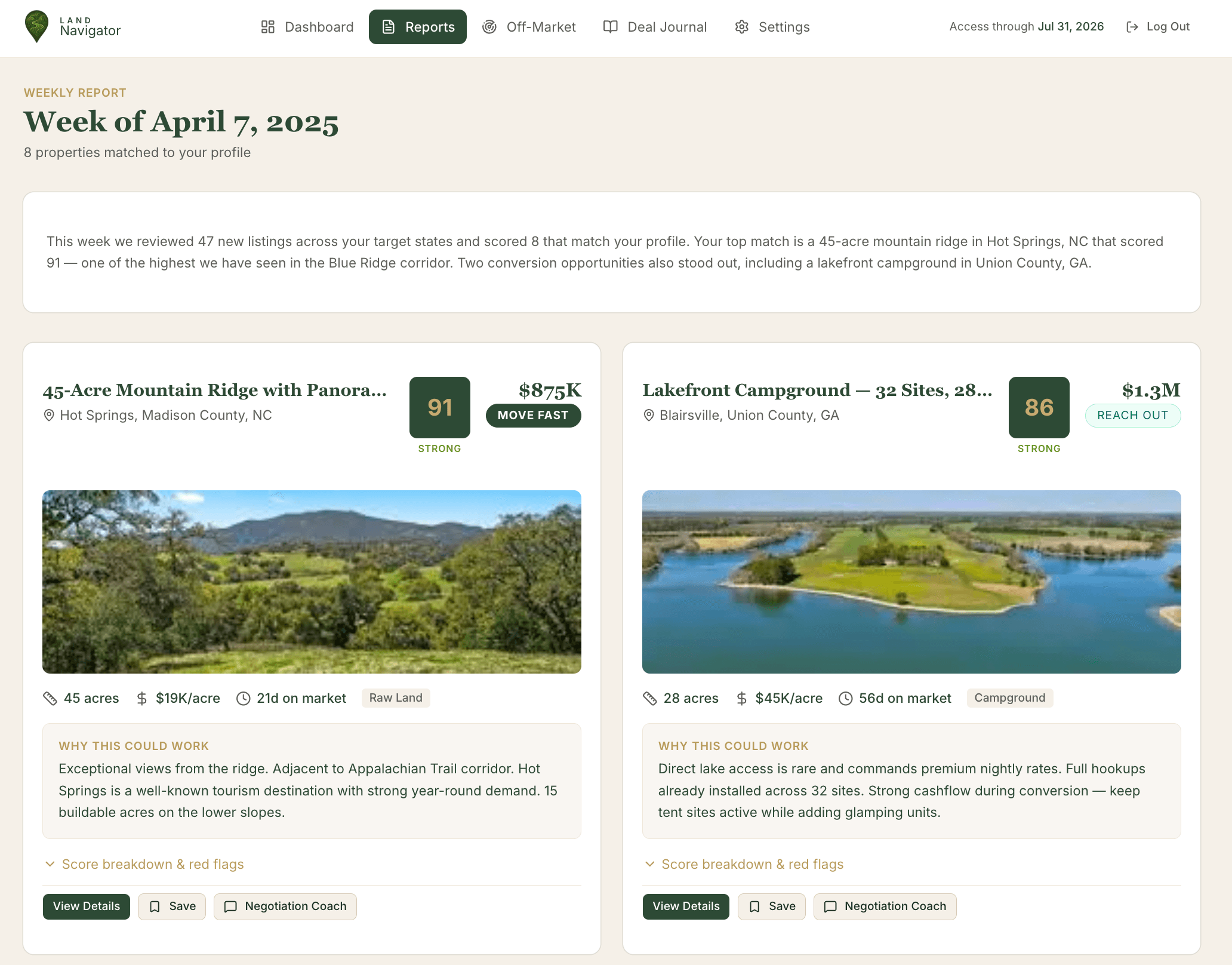
Your Weekly Report
Every Monday, scored properties matched to your criteria land in your dashboard. Each one is analyzed specifically for your goals.
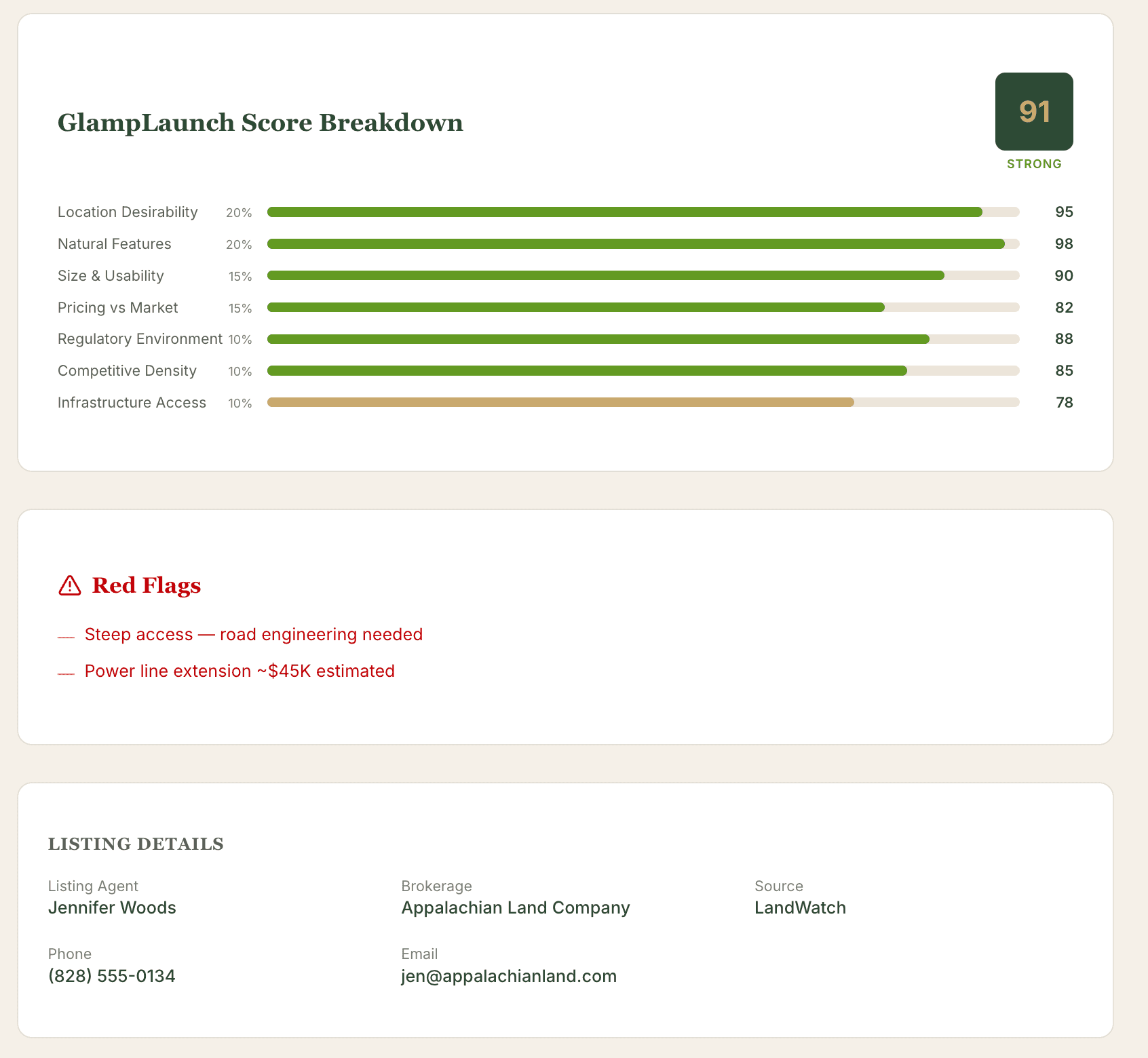
GlampLaunch Score Breakdown
Seven dimensions. One score. See exactly where a property is strong and where the risks are before you spend a dime.
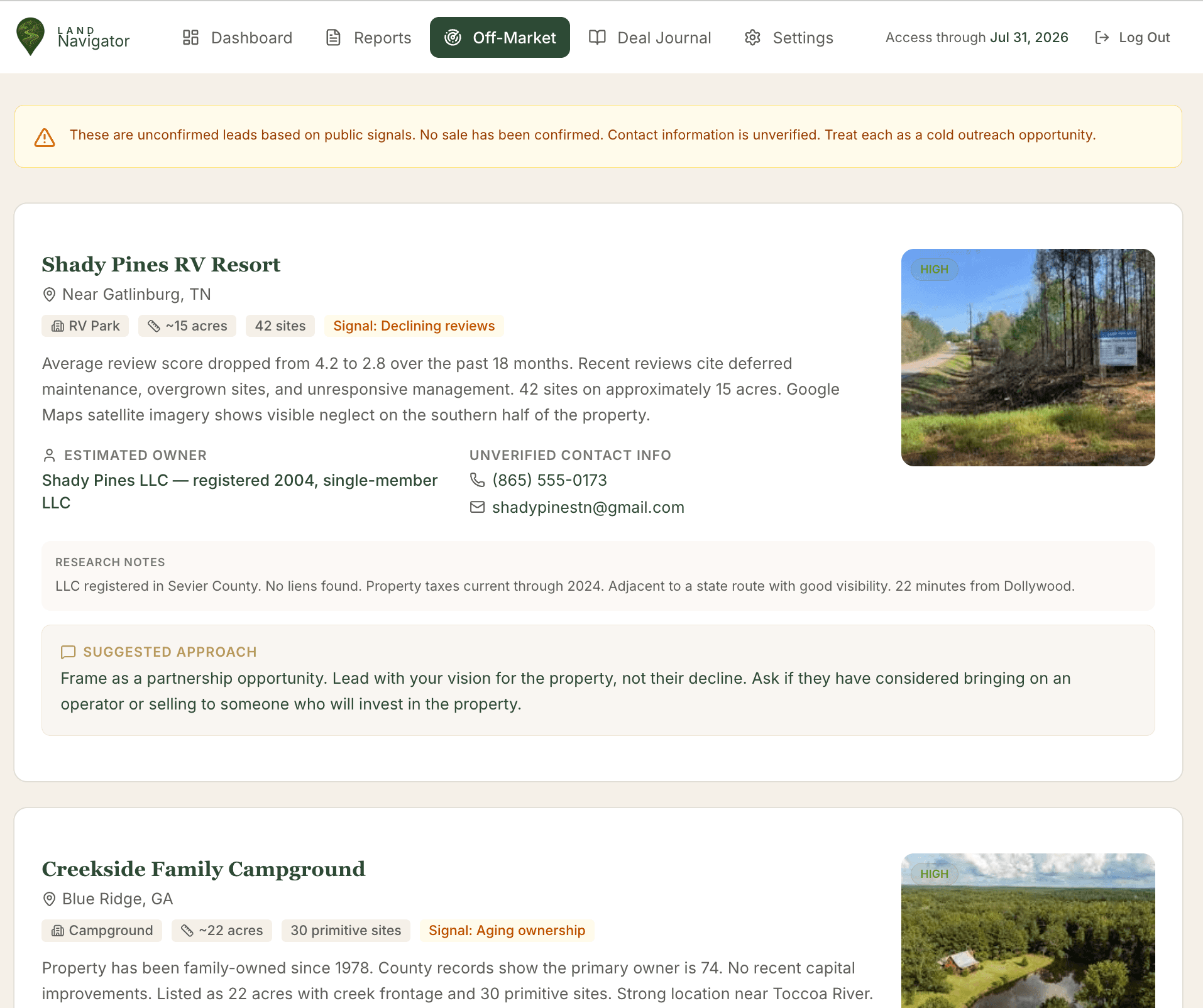
Off-Market Radar
Distressed RV parks. Aging campgrounds. Closed businesses with acreage. We surface deals before they ever hit the market.
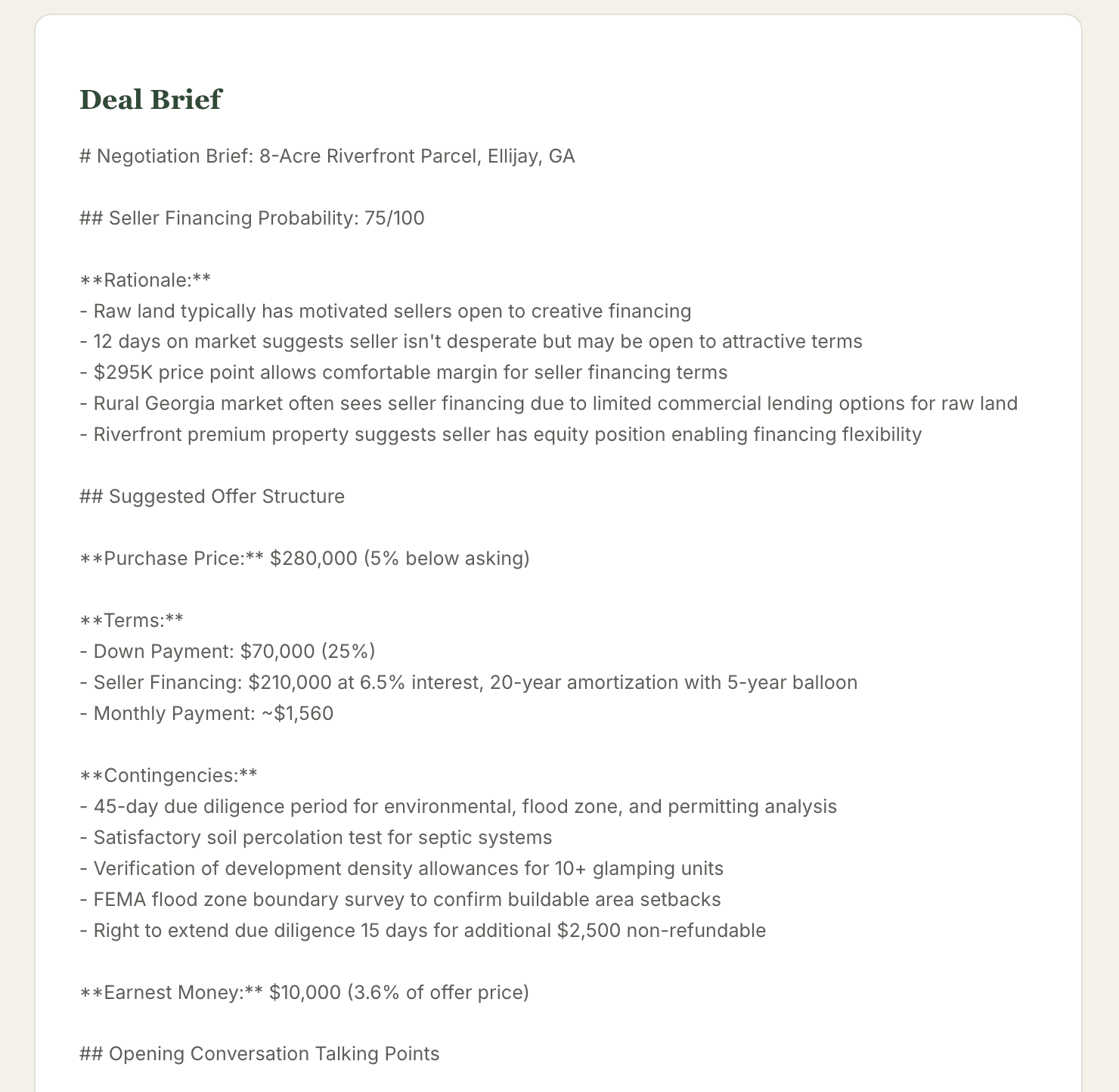
Negotiation Coach
Seller financing probability, suggested offer structure, talking points for the agent, and a draft letter of intent. One click.
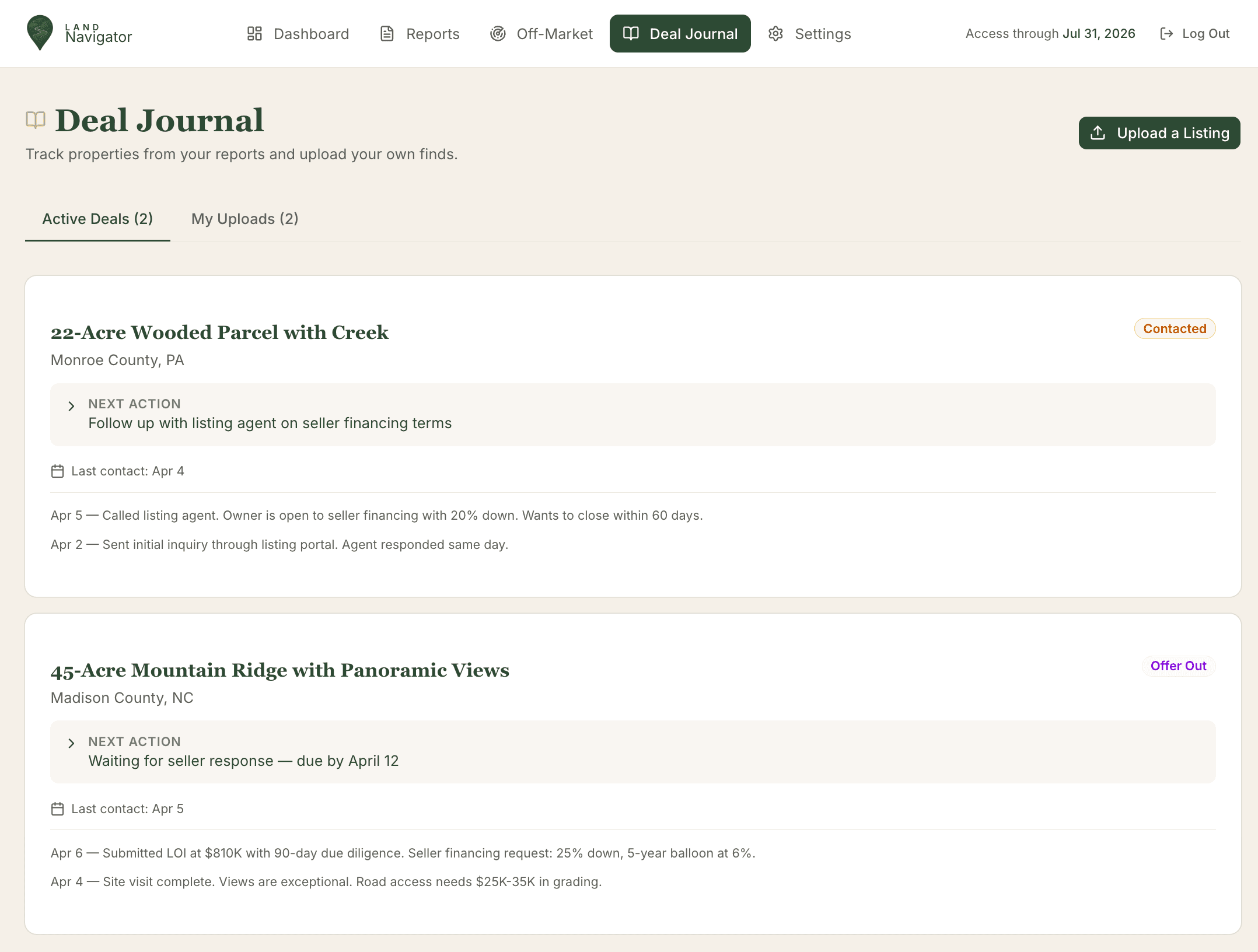
Deal Journal
Your personal CRM for land. Track every property you are pursuing, upload your own finds, and keep notes in one place.
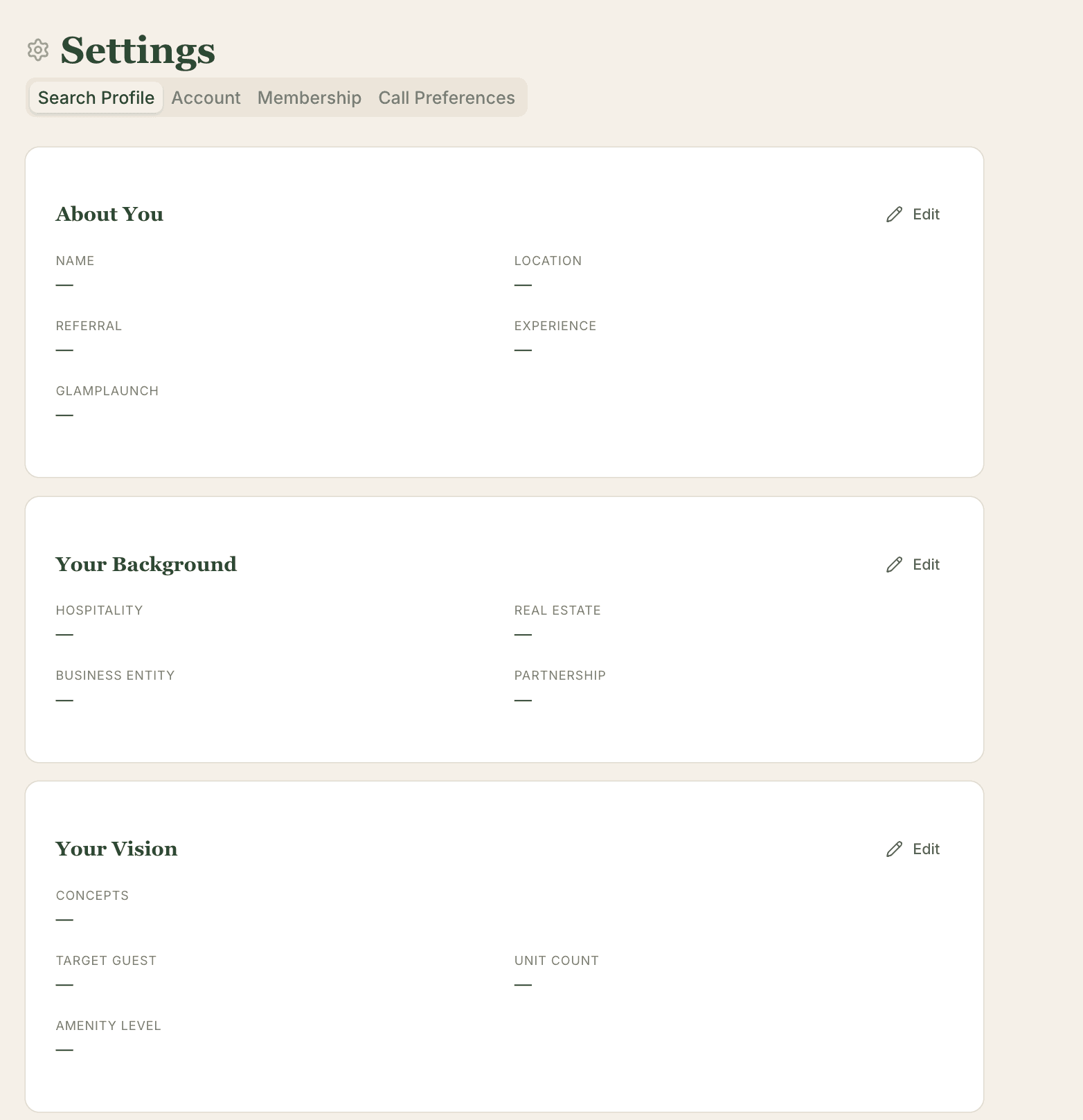
Your Search Profile
Tell us exactly what you want. Update it anytime. Every report, every match, every recommendation flows from this.